If you’re searching for how to fix error 0x80070643 Windows Update keeps throwing at you, you’ve hit one of the most common installation failures on Windows 10 and Windows 11. The update crawls to 100%, then collapses into a cryptic code.
The good news: you can fix error 0x80070643 Windows Update problems in under 30 minutes, usually without reinstalling a thing.
Table of Contents
What Causes Error 0x80070643?
Error 0x80070643 is a catch-all “installation failure” code. Windows uses it whenever an update package can’t be written to disk or registered properly.
Common triggers include:
- Insufficient WinRE partition space — the top cause since Microsoft’s KB5034441 update
- Corrupted .NET Framework files
- Damaged Windows Update components
- Third-party antivirus interference
- Corrupted system files flagged by SFC or DISM
- Pending updates stuck mid-install
Identifying the trigger makes it far easier to fix error 0x80070643 Windows Update displays on your machine.
How to Fix Error 0x80070643 Windows Update: 8 Methods
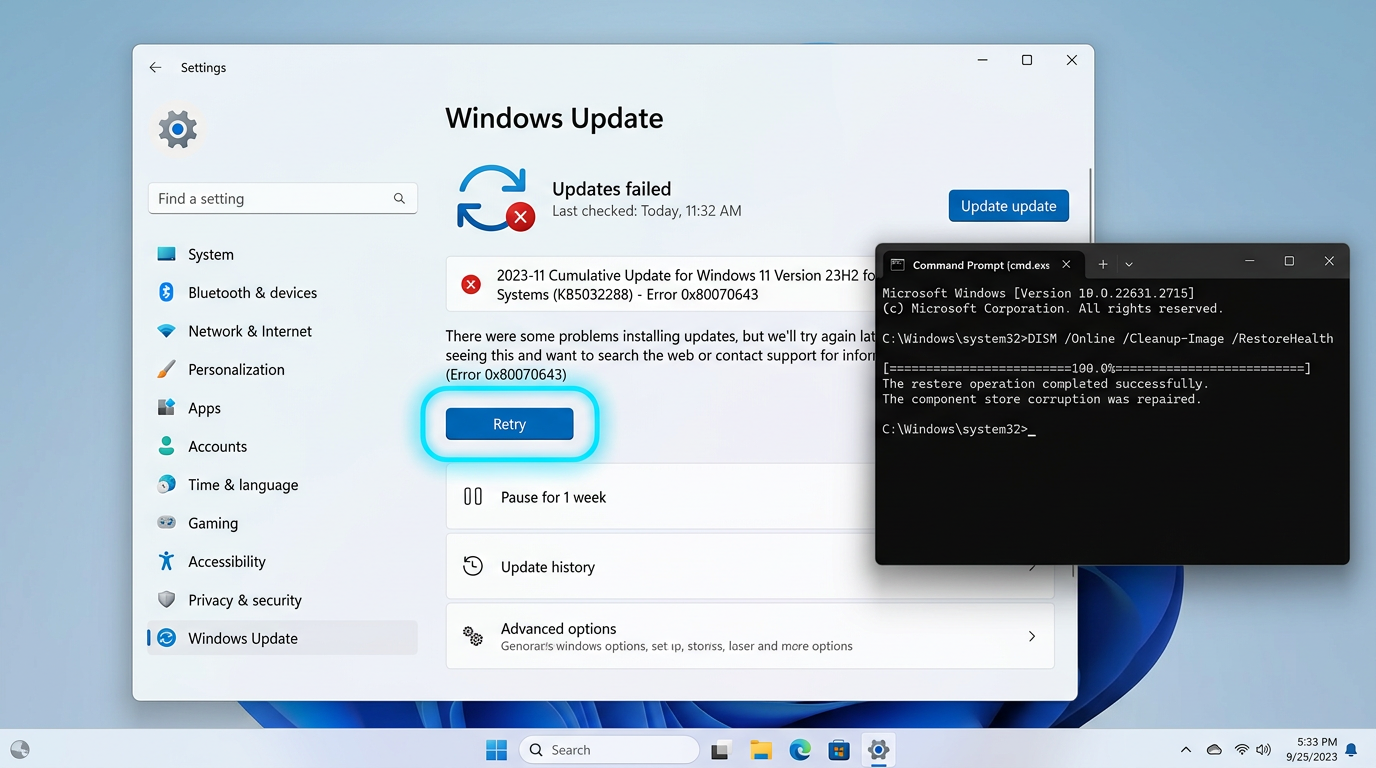
Method 1: Run the Windows Update Troubleshooter
- Press Windows + I → System → Troubleshoot → Other troubleshooters
- Click Run beside Windows Update
- Apply recommended fixes and restart
Microsoft’s official troubleshooting guide confirms this resolves a large share of cases.
Method 2: Restart Windows Update Services
- Press Windows + R, type
services.msc - Right-click Windows Update → Restart
- Repeat for BITS and Cryptographic Services
Method 3: Clear the SoftwareDistribution Folder
A corrupted update cache is a classic reason you can’t fix error 0x80070643 Windows Update returns repeatedly.
net stop wuauserv
net stop bits
ren C:\Windows\SoftwareDistribution SoftwareDistribution.old
ren C:\Windows\System32\catroot2 catroot2.old
net start wuauserv
net start bits
Restart and retry. Windows rebuilds both folders automatically.
Method 4: Run SFC and DISM Scans
sfc /scannow
DISM /Online /Cleanup-Image /RestoreHealth
Each takes 15–20 minutes. Let them finish before restarting. See the DISM documentation on Microsoft Learn for advanced switches.
Method 5: Resize the WinRE Partition
This is the definitive way to fix error 0x80070643 Windows Update shows alongside KB5034441.
- Run
reagentc /infoto confirm WinRE location - Run
reagentc /disable - Use
diskpartto shrink the OS partition by 250 MB and extend recovery - Run
reagentc /enable
⚠️ Back up first. If partitions feel risky, our Technicians Now support team handles this daily.
Method 6: Repair the .NET Framework
Download the .NET Framework Repair Tool and apply all suggested changes. Alternatively, disable and re-enable .NET via Control Panel → Turn Windows features on or off.
Method 7: Disable Third-Party Antivirus Temporarily
Security suites lock files mid-install. Disable real-time protection, install the update, then re-enable it immediately.
Method 8: Install the Update Manually
Grab the KB number, search the Microsoft Update Catalog, download the build matching your architecture, and run it directly.
Preventing Error 0x80070643 in the Future
- Keep 20 GB+ free on your system drive
- Restart weekly so pending updates finalize
- Never force-shutdown mid-installation
- Run
sfc /scannowquarterly
Stable connectivity helps too — our guide on FTP and its advantages explains transfer fundamentals clearly.
When to Call a Professional
Escalate if the error survives all eight methods, your PC boots into a recovery loop, or disk errors appear during resizing. Error codes rarely travel alone — see our related fix for QuickBooks Error 404, or browse all our tech guides.
FAQs
Is error 0x80070643 dangerous? No. It’s an installation failure, not malware. Your files stay safe.
Can I ignore it? Not for long — failed security updates leave vulnerabilities open.
Why does KB5034441 keep failing? Insufficient WinRE space. Method 5 resolves it.
Will a reset fix it? Yes, but treat it as a last resort.
Final Thoughts
To fix error 0x80070643 Windows Update reliably, work top to bottom: troubleshooter, cache clearing, system scans, then partition work. Methodical elimination beats guesswork every time — and your updates will install cleanly again.