If you want to play classic PlayStation Portable (PSP) games on Android or PC, choosing the right emulator can make a major difference in performance, graphics, controls, and compatibility. Among the available options, PPSSPP is the best PSP emulator for Android and PC for most users.
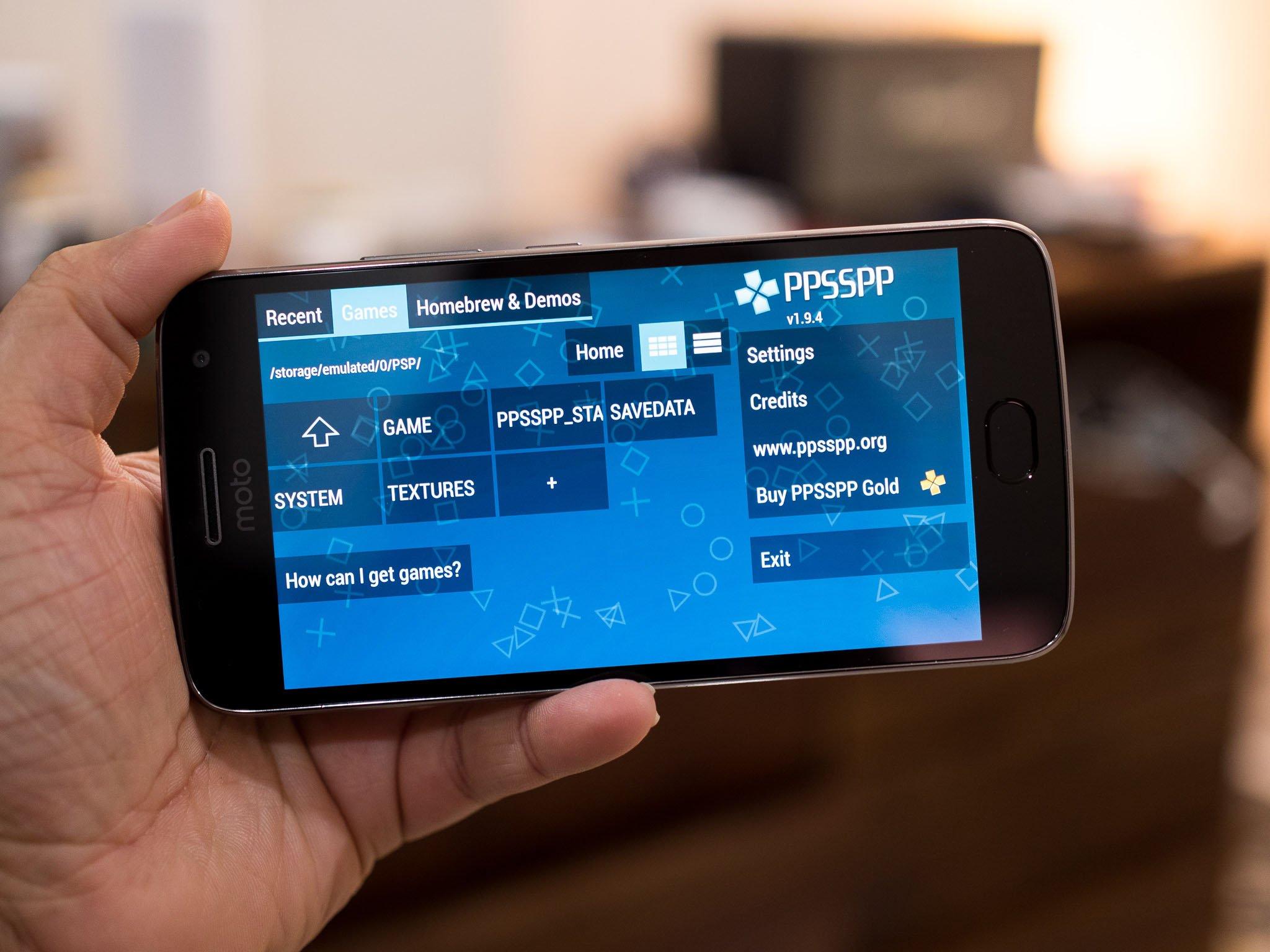
PPSSPP has been developed specifically to emulate PSP games and is available across Android, Windows, macOS, Linux, iOS, and several other platforms. It can run PSP games at higher resolutions than the original handheld, supports save states, external controllers, texture upscaling, customizable controls, and several graphics backends.
The current PPSSPP release line has also continued to improve performance and compatibility. Version 1.20 introduced major UI improvements, performance and rendering fixes, controller improvements, Windows ARM64 support, and enhancements to ad hoc multiplayer.
In this guide, we will look at the best PSP emulator, why PPSSPP stands out, how it works on Android and PC, its features, system requirements, setup process, and some alternatives you may want to consider.
Table of Contents
Quick Answer: What Is the Best PSP Emulator?
PPSSPP is the best PSP emulator for Android and PC.
It is a strong choice because it combines:
- Excellent PSP game compatibility
- Android and Windows support
- HD and higher-resolution rendering
- Texture upscaling
- Save states
- Customisable controls
- External controller support
- Keyboard support on PC
- Open-source development
- Active updates and bug fixes
- Support for ISO, CSO, and other compatible game formats
- Relatively modest hardware requirements
The official PPSSPP project states that the emulator can run PSP games on Android phones and PCs at full HD resolution or higher. It can also enhance textures and apply post-processing effects.
What Is a PSP Emulator?
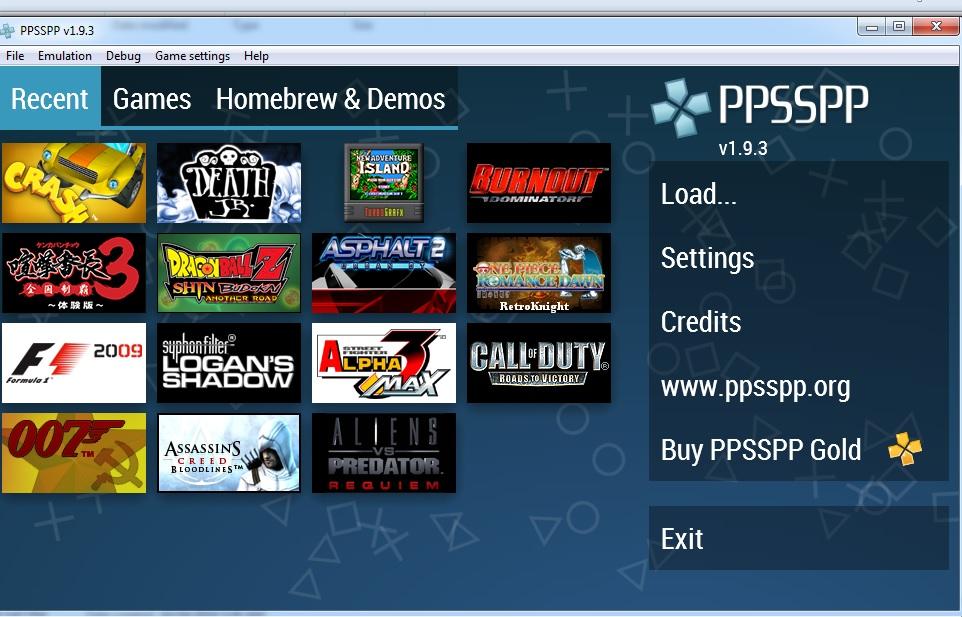
A PSP emulator is software that recreates the functionality required to run games originally designed for Sony’s PlayStation Portable.
Instead of requiring the original PSP hardware, an emulator translates the instructions and graphics designed for the PSP so they can work on another device.
This means you can potentially play your legally obtained PSP games on:
- Android phones
- Android tablets
- Windows PCs
- Windows ARM devices
- Macs
- Linux computers
- iPhones and iPads
- Some other supported platforms
PPSSPP is specifically designed for PSP emulation. It does not attempt to emulate every PlayStation console. For example, PPSSPP does not run PS2, PS3, PS4, PS5, or PS Vita games.
That distinction is important because searching for a “PSP emulator” should lead you to software designed specifically for PSP rather than a general-purpose PlayStation emulator.
Why Is PPSSPP the Best PSP Emulator?
There are several reasons PPSSPP is generally the first emulator to consider when you want to play PSP games on Android or PC.
1. Excellent PSP Game Compatibility
Compatibility is one of the most important factors when choosing an emulator.
PPSSPP has been developed specifically around PSP emulation, and its official documentation describes it as capable of running PSP games and software. The project has also continued receiving compatibility, performance, rendering, and controller improvements.
No emulator can guarantee that every game will behave identically on every device. Performance can depend on the game, device hardware, graphics backend, emulator settings, and driver configuration.
However, PPSSPP is a particularly mature option for PSP emulation.
2. Play PSP Games in HD
The original PSP had a much lower native display resolution than modern smartphones and computers.
PPSSPP can render compatible games at higher resolutions, allowing older PSP titles to look considerably sharper on modern screens. It also supports features such as texture scaling, anisotropic filtering, and post-processing effects.
This is especially useful on:
- 1080p monitors
- 1440p displays
- 4K monitors
- Modern Android phones
- Android tablets
However, increasing the rendering resolution also increases the workload on your device. If a game begins to slow down after increasing the resolution, reducing the rendering resolution is one of the first things you should try.
3. Excellent Android Support
One of PPSSPP’s biggest advantages is its Android support.
You can install PPSSPP on a compatible Android device and use either the touchscreen controls or an external controller. The emulator supports a wide range of Bluetooth controllers, including many Xbox and PlayStation controllers.
Modern Android smartphones can provide surprisingly good PSP emulation performance.
The official hardware guidance says that nearly any recent Android phone should work well, although actual performance varies between devices and games.
For demanding games, a newer mid-range or flagship phone will generally provide a more comfortable experience than an entry-level device.
4. Great PC Performance
PPSSPP is also an excellent PSP emulator for PC.
The official project states that nearly any PC made within roughly the last 15 years should have little difficulty running PPSSPP, although keeping graphics drivers updated is recommended.
This makes PPSSPP particularly attractive if you have an older Windows computer that cannot handle modern PC games.
You can use:
- A keyboard
- USB controllers
- Xbox controllers
- PlayStation controllers
- Other compatible gamepads
Windows versions also support both XInput and DirectInput, making controller configuration relatively straightforward.
Key Features of PPSSPP
PPSSPP includes a large collection of features designed to improve the original PSP gaming experience.
High-Resolution Rendering
One of the most noticeable improvements is the ability to render PSP games at higher resolutions.
This can make edges, text, menus, and textures appear significantly sharper than they did on the original PSP display.
Texture Scaling
PPSSPP can upscale textures to make them appear sharper on modern displays. The effect varies between games, but it can improve the visual experience considerably.
Save States
Save states allow you to save the exact state of a game and return to it later.
This is different from the normal in-game save system.
Save states can be particularly useful when:
- Testing a difficult section
- Experimenting with settings
- Playing games with long gaps between save points
- Trying older games
Custom Controls
Touchscreen users can customise the on-screen controls, while PC players can map keyboard keys or controllers.
This flexibility is particularly useful because not everyone wants to play PSP games using virtual touchscreen buttons.
External Controllers
PPSSPP works with many external controllers.
On Android, compatible Bluetooth controllers can provide a much more console-like experience. On Windows, common XInput controllers can usually be configured easily.
Open Source
PPSSPP is an open-source project licensed under GPL 2.0 or later. Its development is publicly available, and contributors can participate in improving the project.
This active development is another reason it remains one of the strongest options for PSP emulation.
PPSSPP for Android vs PC
PPSSPP provides essentially the same core PSP emulation experience across supported platforms, but the controls and setup process differ.
| Feature | Android | PC |
|---|---|---|
| PSP game emulation | Yes | Yes |
| HD rendering | Yes | Yes |
| Save states | Yes | Yes |
| Touch controls | Yes | No |
| Keyboard controls | Limited/External | Yes |
| Bluetooth controller | Yes | Yes |
| USB controller | Yes | Yes |
| Texture scaling | Yes | Yes |
| High-resolution rendering | Yes | Yes |
| ISO/CSO support | Yes | Yes |
| Windows ARM64 | No | Yes |
The main advantage of Android is portability. You can carry your entire PSP library and play it on a phone or tablet.
PC, on the other hand, provides a larger display, easier file management, more powerful hardware options, and better physical controls.
How to Install the Best PSP Emulator on Android
Installing PPSSPP on Android is relatively straightforward.
Step 1: Download PPSSPP
Download PPSSPP through an official source rather than relying on random APK websites.
The official download page provides the current Android version, APK options, F-Droid package, and PPSSPP Gold.
Download PPSSPP from the official website
Step 2: Install the Emulator
If you downloaded PPSSPP from an official app store, install it normally.
If you are using an APK, Android may require permission to install applications from the relevant source.
Step 3: Add Your PSP Games
PPSSPP can use compatible PSP game files such as ISO and CSO files. The official documentation also mentions CHD support.
You should use game files that you have legally obtained or dumped from games you own.
Avoid downloading copyrighted games from unofficial ROM or ISO websites.
Step 4: Open the Game in PPSSPP
Launch PPSSPP and browse to the folder containing your game files.
Once the emulator detects the game, select it to begin playing.
How to Install PPSSPP on Windows PC
The Windows installation process is similarly simple.
Step 1: Download PPSSPP for Windows
The official website provides both a Windows installer and a portable ZIP version. Windows ARM64 users can also download a native ARM64 build.
Step 2: Install or Extract PPSSPP
If you choose the installer, follow the normal Windows installation process.
The portable version can simply be extracted to a folder and launched without a traditional installation.
Step 3: Add Your PSP Games
Place your legally obtained ISO, CSO, or compatible game files in a convenient folder.
Step 4: Load the Game
Open PPSSPP and navigate to the folder containing your games.
Select the game to launch it.
What Hardware Do You Need for PPSSPP?
One of PPSSPP’s biggest advantages is its relatively low hardware requirement.
Android Requirements
The official documentation states that Android devices from roughly the last 10 years can run PPSSPP, although performance varies. Newer devices that are not budget models should generally handle games without major performance problems.
For the best experience, consider a device with:
- A modern multi-core processor
- At least 4 GB RAM
- A capable GPU
- Updated Android software
- Sufficient storage for your games
The exact requirements vary considerably between games.
PC Requirements
PPSSPP is similarly efficient on PCs.
The official project says that almost any PC or Mac made in the last decade or more should be capable of running most PSP games with good graphical quality.
A modern integrated GPU can often be sufficient for PSP emulation.
Best PPSSPP Settings for Performance
The default settings are usually a good starting point. The PPSSPP documentation specifically notes that the defaults should generally work unless you want to configure controllers or other features.
If you experience slowdowns, try the following:
Reduce Rendering Resolution
If you have selected a very high resolution, reduce it.
For example, move from 4x or 5x rendering down to 2x or 3x.
Try a Different Graphics Backend
PPSSPP supports multiple graphics backends. The best option can vary depending on your device.
If one backend produces graphical problems or poor performance, trying another may help.
Keep Drivers Updated
On Windows, keeping your graphics drivers updated can improve compatibility and performance. The PPSSPP hardware documentation specifically recommends updated graphics drivers.
Avoid Excessive Enhancements
Texture scaling, post-processing, and other enhancements can improve graphics but may also increase GPU requirements.
If performance is your priority, start with the default settings and add enhancements one at a time.
PPSSPP Free vs PPSSPP Gold
PPSSPP is available as a free version, while PPSSPP Gold is a paid version intended primarily as a way to support development.
The important point is that PPSSPP Gold is not a completely different emulator with substantially different core functionality.
According to the official PPSSPP documentation, the free and Gold versions have the same functionality, while purchasing Gold supports the project’s development.
Therefore, most users should start with the free version.
If you enjoy PPSSPP and want to financially support its continued development, PPSSPP Gold is an option.
Are There Other PSP Emulators?
Yes, you may find other PSP emulators online. However, they do not necessarily offer the same level of development, compatibility, documentation, or platform support as PPSSPP.
For most users, there is little reason to choose an obscure emulator simply because it claims to be faster.
A PSP emulator should be evaluated based on:
- Game compatibility
- Stability
- Update frequency
- Graphics quality
- Controller support
- Platform support
- Community support
- Documentation
- Security of the download source
PPSSPP performs strongly across these categories and remains the most practical recommendation for Android and PC.
Is PPSSPP Safe to Use?
The safest approach is to download PPSSPP from its official website or a recognised official distribution channel.
Avoid downloading modified emulator APKs from unknown websites. Unofficial packages can potentially contain unwanted software or altered code.
PPSSPP itself is an open-source project, and its source code is publicly available.
For security, always verify that you are downloading the emulator from the official project or a trusted distribution platform.
Does PPSSPP Need a BIOS File?
No.
Unlike some other emulators, PPSSPP does not require you to download a separate PSP BIOS file.
The official FAQ explains that PPSSPP simulates the BIOS and internal operating system rather than requiring the original PSP BIOS.
This makes initial setup simpler.
Can You Transfer PSP Saves to PPSSPP?
Yes.
PPSSPP supports transferring saves from a real PSP, allowing you to continue compatible games on another device.
This can be particularly useful if you still have an old PSP but want to continue playing your games on a modern phone or computer.
Can You Play PSP Games on PPSSPP Without Downloading ROMs?
Yes, but you need compatible game files.
PPSSPP does not provide copyrighted PSP games with the emulator. The official project explains that users need to provide their own game files.
You can create digital copies of games you own using appropriate dumping methods and then use the resulting ISO or other supported format with PPSSPP.
This is a better approach than relying on questionable websites offering copyrighted game downloads.
Does PPSSPP Support Multiplayer?
PPSSPP supports multiplayer features, including ad hoc multiplayer functionality.
Recent versions have introduced improvements to ad hoc multiplayer, including relay-server support.
However, multiplayer compatibility can vary depending on the game, configuration, version, and network setup.
Frequently Asked Questions
What is the best PSP emulator for Android?
PPSSPP is the best PSP emulator for Android for most users. It offers strong compatibility, HD rendering, customisable controls, save states, external controller support, and active development.
What is the best PSP emulator for PC?
PPSSPP is also the best PSP emulator for PC for most users. It works on Windows, supports keyboard and controllers, offers high-resolution rendering, and has relatively modest hardware requirements.
Is PPSSPP free?
Yes. PPSSPP is available as a free, open-source emulator. PPSSPP Gold is an optional paid version that supports the project’s development.
Does PPSSPP work on Windows 11?
Yes. PPSSPP has a Windows version, including support for modern Windows PCs and a native Windows ARM64 build.
Can PPSSPP run PSP games in 4K?
PPSSPP can render games at resolutions significantly higher than the original PSP resolution. Whether a particular game runs smoothly at 4K depends on your PC or Android device and the game’s requirements.
Does PPSSPP require a BIOS?
No. PPSSPP does not require a separate PSP BIOS file.
Can I use a PS5 or Xbox controller with PPSSPP?
PPSSPP supports many external controllers. The official hardware documentation specifically lists PlayStation 4/5 and Xbox controllers among tested options.
What game formats does PPSSPP support?
PPSSPP can use PSP game formats including ISO and CSO, while the current documentation also mentions CHD support.
Final Verdict: The Best PSP Emulator
If your goal is to play PSP games on a modern Android phone or PC, PPSSPP is the best PSP emulator to start with.
Its biggest strengths are its mature PSP emulation, broad platform support, high-resolution graphics, save states, custom controls, external controller compatibility, and ongoing development.
Android users get the advantage of portability, while PC users can enjoy PSP games on a larger screen with a keyboard or physical controller. Even relatively modest hardware can run many PSP games, making PPSSPP accessible to a wide range of users.
For the safest experience, download PPSSPP from the official project and use legally obtained PSP game files. The official project continues to release updates, with version 1.20.4 currently listed on its download page.
If you are looking for a free, reliable, feature-rich and actively maintained PSP emulator for Android and PC, PPSSPP is the clear choice.